
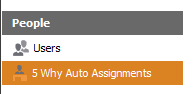
1. Locate and select 5 Why Auto Assignments
-
Click on the Configuration from the Top Menu.

-
On the left panel, select People > 5 Why Auto Assignments
2. Select the Function from the Data grid
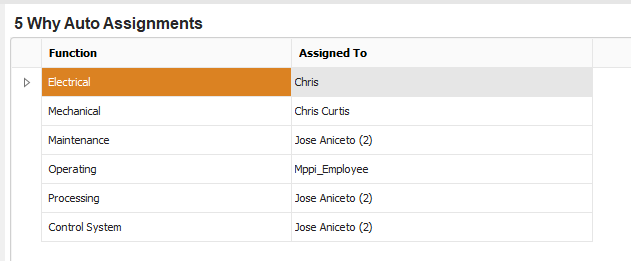
If you cannot see the desired Function, see How to configure Time Usage.
3. Assign a User
On the Assigned To column, click on the user to select a user. If the user is not found, see How to add a User.
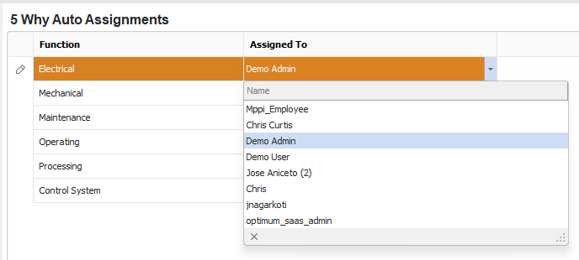
By assigning a user, the system generated investigation will automatically assign the investigation to the user based on the configured 5 Why trigger (see How to configure Downtime unit).