
Adding additional columns to your downtime by right clicking on any of your column headers
-png.png?width=670&height=377&name=Screenshot%20(2)-png.png)
Select the Add Columns that has been underlined
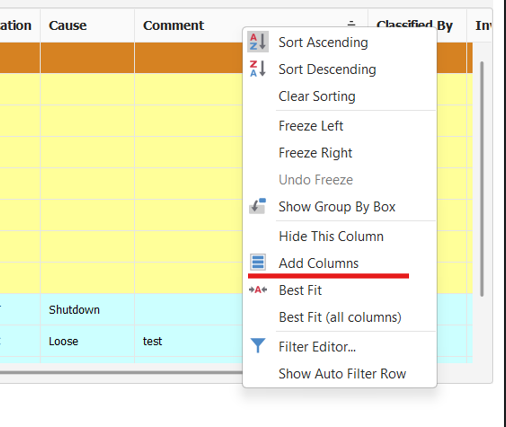
From this point you cant add any new columns that are not already displayed.
To remove a column, hold left click on the column header you desire to remove and drag it anywhere else on the screen until a X apereas over the desired column header. Drop the column you want removed once the X appears.
After editing current view layout to your liking, see icons on the bottom of the downtime panel.

select the Icon with the red underline to save current view layout.