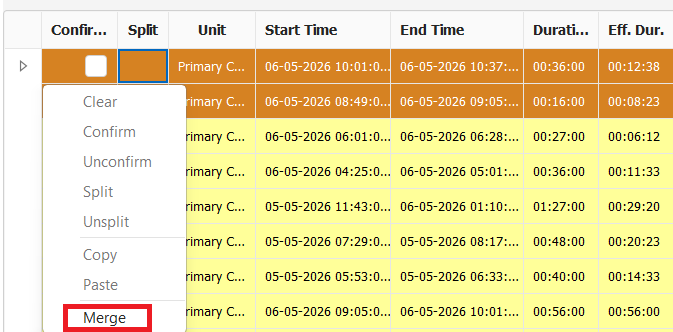
Incase the need to merge two events into a single one. Once two events are merged they'll have to manually be split and reassigned. To merge two events hold shift and select the two separated events you intend to merge. Right click on one of the selected events and select merge.
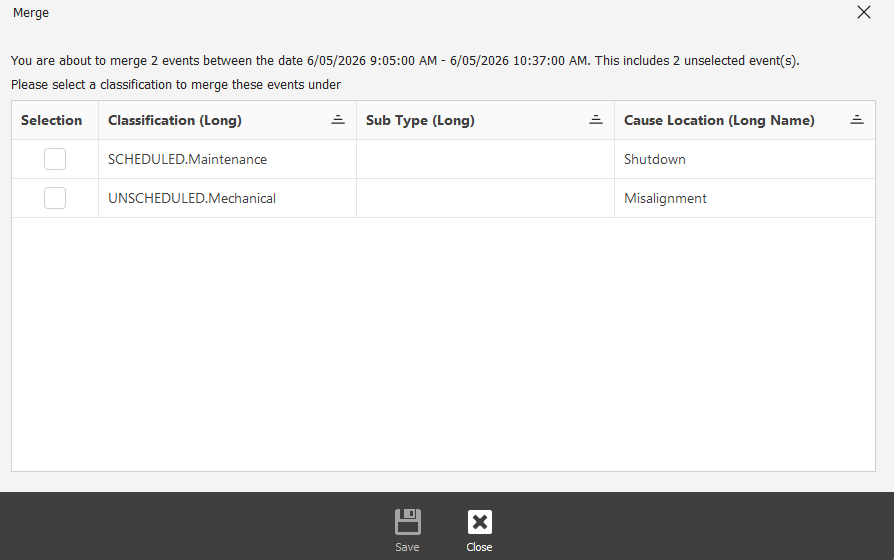
If the two events you have selected have not been classified or have two separate classifications, you will be prompted to select only one.