
1. Select the 5 Why module from the Top Menu

2. Open the Investigation Editor
Click on the Add Investigation icon, located at the bottom of the screen.
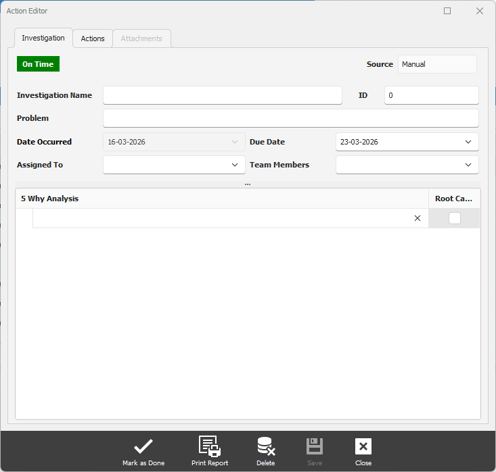
3. Enter the details of the Investigation
1. Enter the Investigation Name - a brief description of the investigation.
2. Enter the Problem - describe the problem.
3. Enter the Due Date.
4. Assign the investigation to person
5. (Optional) Select the team members who will be involved in the investigation.
4. Save the Investigation
Click on the Save button at the bottom of the window to save the investigation.