Adding additional columns to your downtime by right clicking on any of your column headers
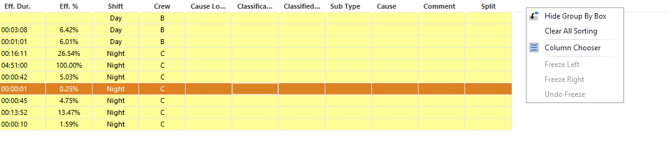
Select the Add Columns that has been underlined
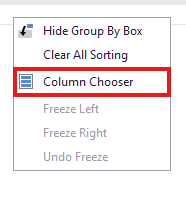
From this point you cant add any new columns that are not already displayed.
To remove a column, hold left click on the column header you desire to remove and drag it anywhere else on the screen until a X apereas over the desired column header. Drop the column you want removed once the X appears.
After editing current view layout to your liking, see save in the bottom right of the viewer.