
1. Start IIS Manager
2. Add an Application Pool
Right click on the Application Pools and select Add Application Pool ...
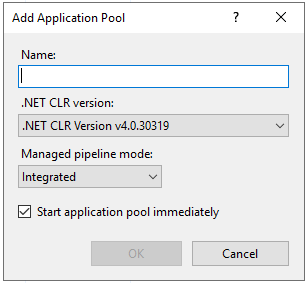
Name - enter FixedPlantIQAppPool
3. Add a website
Right click on Sites and select Add Website ...
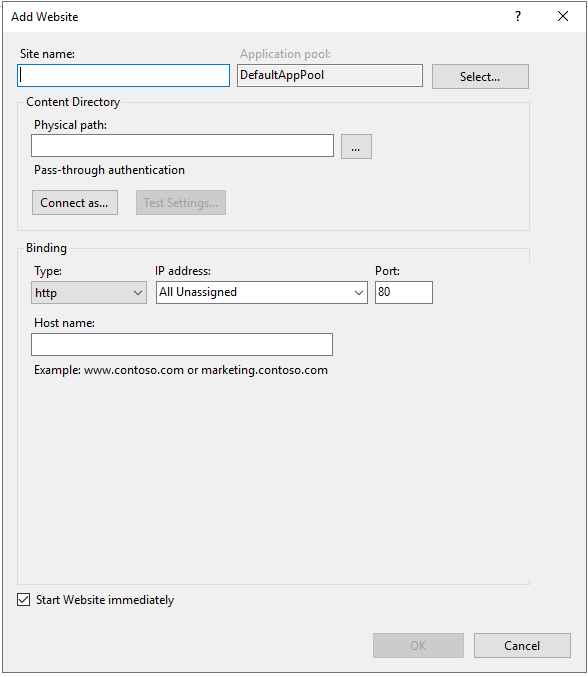
Site name - enter FixedPlantIQ
Application Pool - click on the Select button and pick FixedPlantIQAppPool
Physical Path - the installation path of Install_Client