
1. Start the Licence Key Generator app
This is a password protected app.
!w4t3rM310N+_)#
2. Enter the details
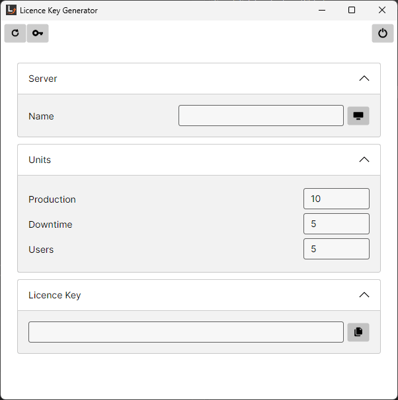
Server Name - name of the server for the site (source: customer)
Production - enter the number of Production units (source: purchase order)
Downtime - enter the number of Downtime units (source: purchase order)
Users - enter the number of users (source: purchase order)
3. Generate a Key
Click on the Key button at the top of the window to generate a key.
4. Store the Key
Make sure that the key is stored in HubSpot for future reference.