- Open the Downtime View and locate a downtime event with Below Target to configure auto-classification for Status OFF events.
- Double-click the event to open the Event Classification dialog, then click Quick Classification.
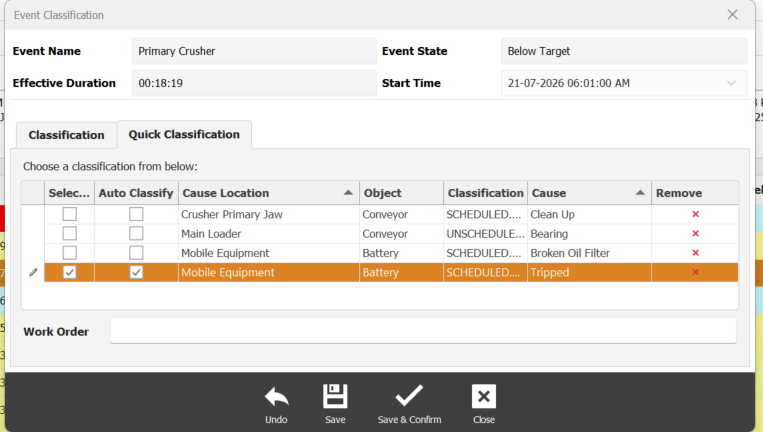
- If no Quick Classification items are available, add the required Quick Classification entries to the list.
- In the Quick Classification list, select the classification item that you want to be applied automatically and assign it in the Auto Classify column.
English - Australia