
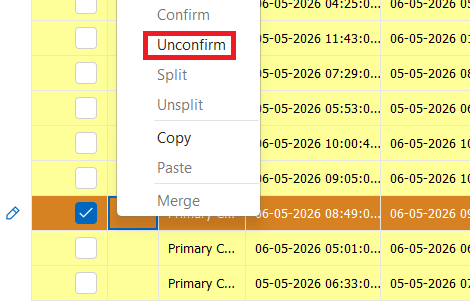
To edit or clear a classified event, the event must be unconfirmed first. To unconfirm and even right click on the event and select Unconfirm.
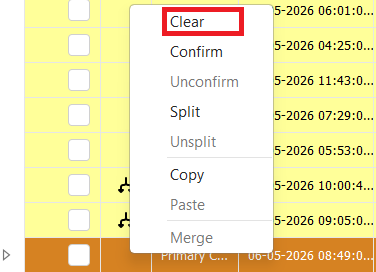
Once the event has been unconfirmed you'll have two options to edit the event. Right click on the selected event again, this time select the Clear option to remove all input data and start fresh.
second option is to double left click on the event, allowing you to adjust the preexisting data.