
1. Select the Configuration Module

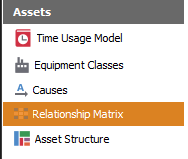
2. Select Relationship Matrix
On the left panel, click on the Assets > Relationship Matrix menu.
3. Configure Relationship Matrix
3.1 Adding a relationship
Click on the Plus button to add a new relationship
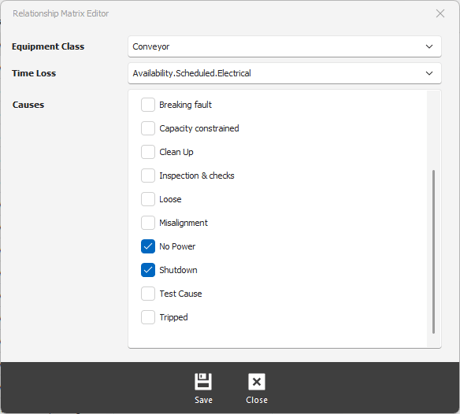
Equipment Class - the name of the equipment
Time Loss - select a time loss category
Causes - select a cause
Click on the Save button at the bottom of the window to apply changes.
3.2 Edit a relationship
Double click on the relationship to bring up the Relationship Matrix Editor.