
1. Locate and select the Downtime unit
-
Click on Configuration from the Top Menu.

-
From the left panel select Monitoring > Downtime
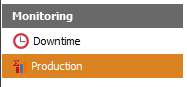
-
The number of units will be shown, depending on your licence.

2. Configure the Production unit
Double click on the unit from the data grid.
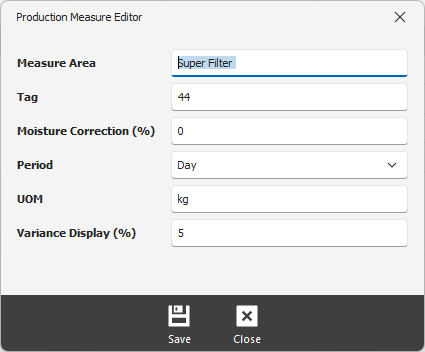
Measure Area - name of the measure area
Tag - the tag to use and search data from the Data Historian where the production value will be obtained from
Moisture Correction (%) - apply a moisture correction this value is applied to the production value which is read from the Data Historian
Period - select the period that this unit is going to be measured
UOM - unit of measure for this unit
Variance Display (%) - unit of measure used by the Production unit
3. Save the configuration
Click on the Save button to apply the changes.