
1. Locate and select the Downtime unit
2. Configure the Downtime unit
Double click on the unit from the data grid.
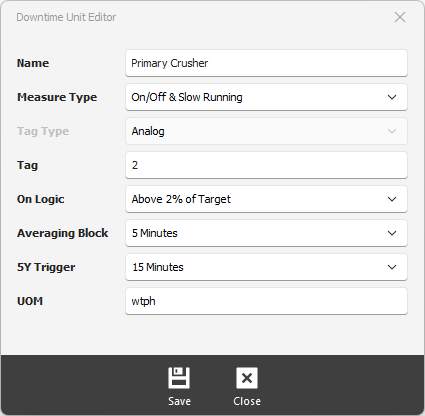
Name - enter the name of the unit.
Measure Type - select the type of measurement FixedPlantIQ will be monitoring. You have two options:
-
-
On/OFF - status
-
Slow Running (includes ON/OFF)-rate
-
Tag Type - select whether it ia digital signal or analog signal, Slow Running will always be analog.
Tag - the tag used to match data from the Data Historian