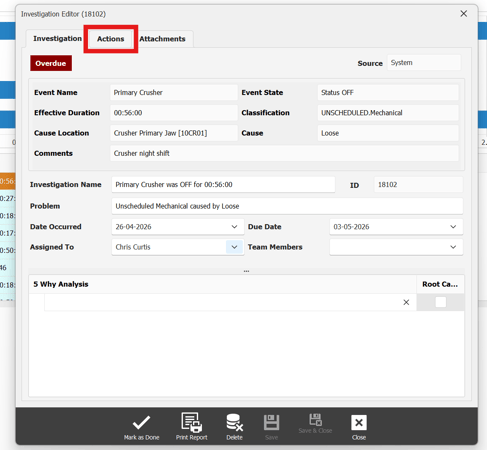
To assign an action to an investigation in 5 Why, double click on the investigation you want to assign an action to. Once the investigation editor pop up opens, select the actions tab.
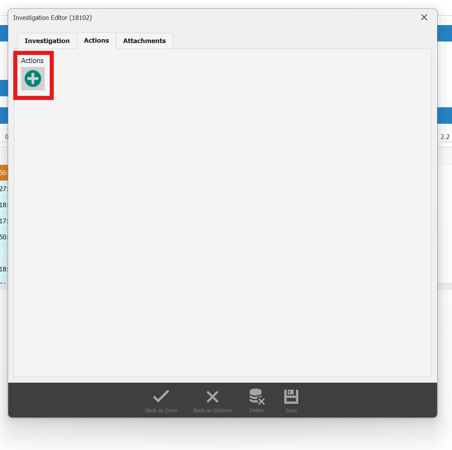
Once in the action tab select the + icon to assign an action.
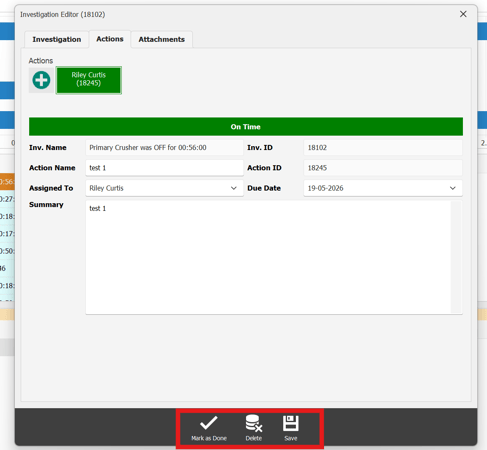
after populating the required data select the save button at the bottom of the actions tab to save the assigned action to that investigation.
If the action has been completed, follow steps above until user reaches action tab again. Instead of selecting the save button, this time select the mark as done button.
If the user wants to delete action, follow the steps above until reaching action tab again. this time select the delete button.