
Adjusting a downtime unit is a configuration change. This article assumes that the user has access to adjust configuration settings.
1. Select the Downtime module from the Top Menu
2. Select a view that is associated to the unit.
3. Click on the gear icon above the graph located on the right side of the graph.
4. Set the New Target value and provide a reason (mandatory) for the change in target.
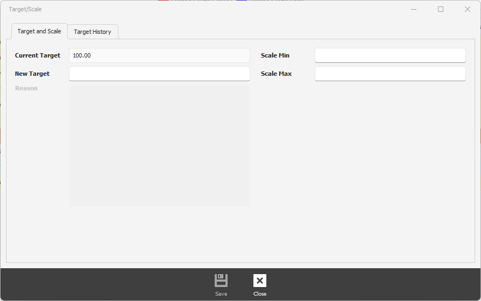
5. Enter the Min Scale and Max Scale values.