
To add a relationship in the Relationship Matrix first head over the Configuration tab. Once in the configuration tab head to the Matrix Configuration Section.
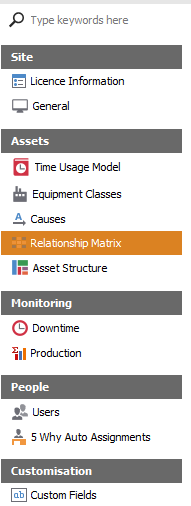
After entering the Relationship Matrix click on the Add Record button located at the bottom of the viewer.

The user will be prompted with the Relationship Matrix Editor, this is where the user will fill in the type of Equipment Class, type of Time Loss and the Cause/Causes. After populating the new Relationship Matrix ensure to save it.
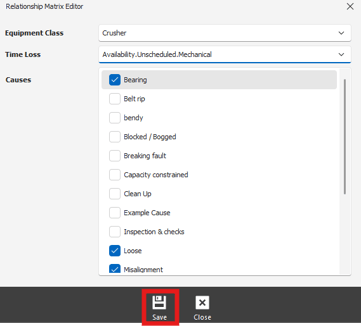
To edit a preexisting Relationship, double click on the desired one. The user will be prompted with the Relationship Matrix Editor . After editing desired details, ensure you click the save button.
To delete a relationship, left click on the desired relationship to highlight it. Once highlighted click the Delete Selected Record located at the bottom of the viewer.