
To add new Equipment Classes, head to the Configuration tab and select the equipment classes section.
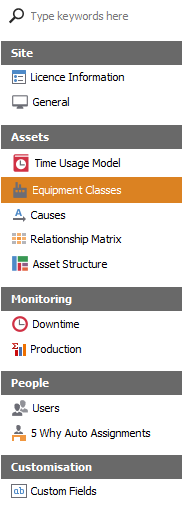
Once in Equipment classes section, locate the Add Record button at the bottom of the viewer.

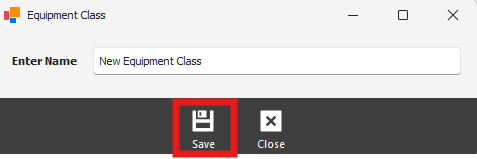
The user will be prompted with Add Equipment Class pop up, allowing the user to enter details for a new Equipment Class. After entering details ensure you click the save button to confirm new equipment class.
Once the new Equipment Class has been added, ensure the class in enabled to be able to use it. Enable the class by left clicking on the empy enable box.
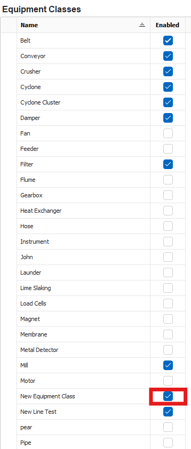
To remove a Equipment class, ensure its no longer enabled. highlight the class you want to delete by left clicking on it. Once highlighted locate the Delete Selected Record button at the bottom of the viewer.