
Overview
Activate or Deactivate the Downtime Unit
The Active status allows users to enable or disable a downtime unit without deleting its configuration.
- Active units are monitored and included in downtime tracking.
- Inactive units are excluded from downtime monitoring and the related views get hidden in the downtime module.
Activate or Deactivate the Downtime Unit
- Open Configuration > Monitoring > Downtime.
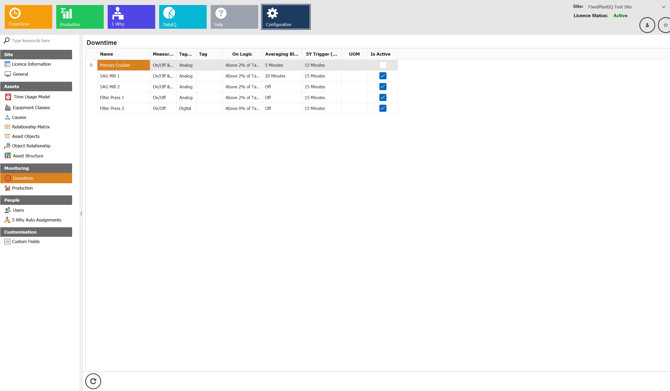
- Select the required downtime unit and open the Downtime Unit Editor.
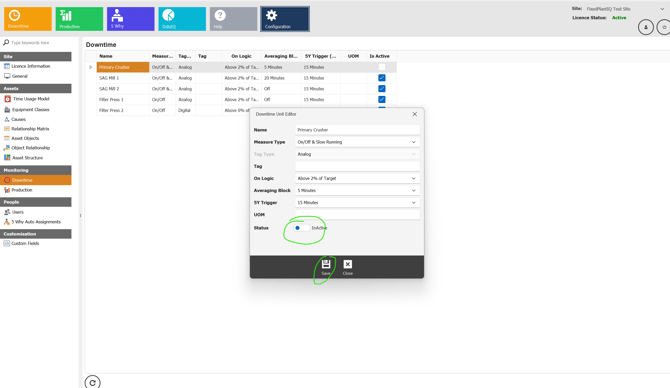
- Locate the Status toggle.
- ON (Active) = Unit is enabled.
- OFF (Inactive) = Unit is disabled.
- Click Save to apply the change.
- Close the editor window.
- Deactivating a downtime unit does not delete its configuration.
- Historical downtime records remain unchanged.
- An inactive unit can be reactivated at any time.