
Process
1. Go to the Production Page
Open the Production page within the system.
2. Navigate to the Budget and Forecast Section
Locate and open the Budget and Forecast section.
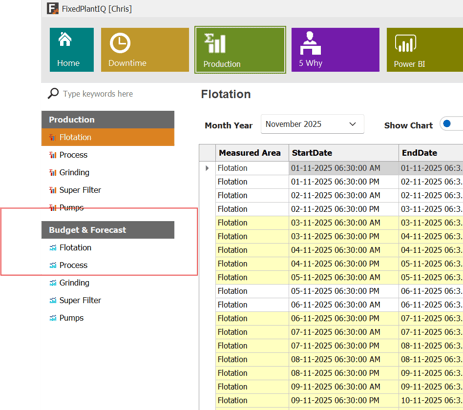
3. Select the Measure to Update
Choose the measure you want to update.
For example, select Flotation from the Budget and Forecast list.
4. Choose the Month and Period
Use the calendar to select the month you want to update.
Then choose whether you want to modify values for the Shift or Day period.
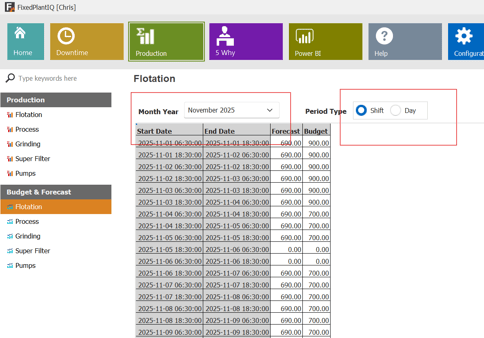
5. Enter Your Values
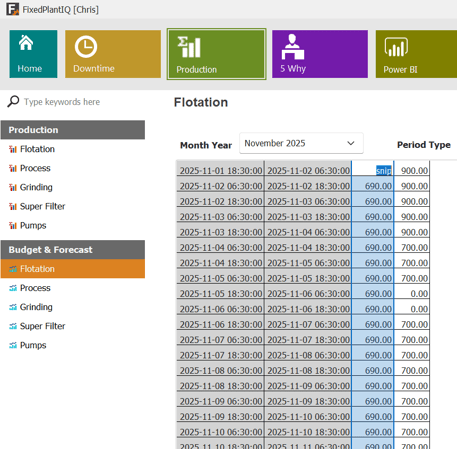
Type the new number directly into the Budget or Forecast cell.
-
You can drag the cell downward to auto-fill additional rows, similar to Excel.
-
You may also enter or delete values in individual cells at any time.
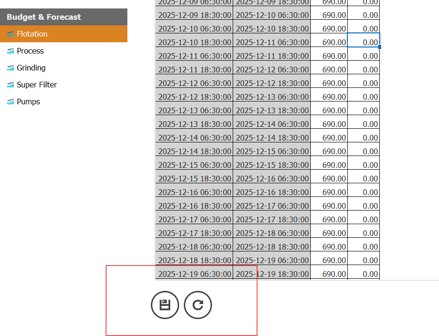
6. Save Your Changes
Click Save at the bottom of the page.
Then click Refresh to ensure your updates are saved and applied throughout the system.
7. Return to the Main Production Menu
Your updated Budget and Forecast values will now be available and reflected in the system.